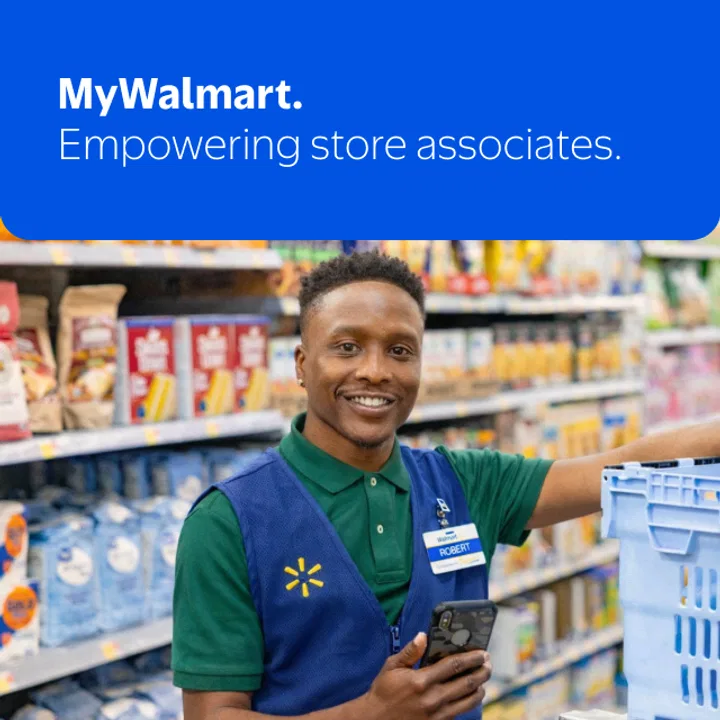
MyWalmart
- 4.5
- Rating
- 1.00M
- Installs
- Free
- Price

 Analysis by App-foxy
MyWalmart is a workplace app made by Walmart for associates who need a more direct way to stay connected with the information and routines of their store role. I approached it less like a general shopping app and more like a practical business tool: something you open with a specific task in mind, check quickly, and then return to your shift. That distinction matters, because its value depends heavily on whether you are a Walmart associate rather than an ordinary customer.
After using it, my main impression is that MyWalmart works best as a repeat-use work companion, not as an all-purpose productivity app. It is free, available for associates in stores, and developed by Walmart, so its purpose is narrow by design. That focus can make it more useful than trying to organize work details through personal notes, scattered messages, or unrelated calendar apps. At the same time, anyone expecting a broad business suite or a customer-facing Walmart experience will probably find the app unsuitable.
How the everyday workflow feels for an associate
The most sensible way to use MyWalmart is to begin with a clear reason for opening it. Before a shift, I would treat it as a place to check the information relevant to the working day rather than browsing aimlessly. During a shift, the useful habit is to open it when I need work context, review the relevant screen, and close it once I have what I need. That sounds simple, but it prevents the app from becoming another source of digital distraction.
You May Also Like

 Blood Strike: 2.5 Anniversary
Blood Strike’s Loadouts Turn Every Drop Into a Tactical Gamble
A close look at Blood Strike’s custom loadouts: how fast access to signature weapons reshapes its battle royale rhythm, rewards preparation, and narrows the gap between fights.

 Pandora - Music & Podcasts
Pandora’s Music Is Easy to Start, but Harder to Recover
Pandora’s strength is its low-effort path from a seed to a station. Its weak spot is how much confidence it asks you to place in connection, setup, and quiet recovery.

 8 Ball Pool
 Is Built on Rivalries, Rematches, and Routine
A close look at the rivalries, rematches, shared routines, and unanswered safety questions that turn a quick pool match into a persistent mobile community.

 Samsung Music
’s Quiet Strength Is Playing What You Already Own
Its reach comes less from spectacle than from dependable access to a personal library. That simplicity is both the app’s strongest retention engine and its ceiling.

 AccuWeather: Weather Radar
AccuWeather Review: A Quick, Clear Forecast for Everyday Decisions
For everyday plans, the best forecast is the one you can understand quickly. AccuWeather makes rain timing, radar, and local conditions easy to act on, with a few trade-offs.

 Hill Climb Racing
Why Hill Climb Racing Still Turns Crashes Into One More Run
A tiny car, a bumpy hill and one more upgrade: Hill Climb Racing keeps resurfacing because its simple chaos makes every near-miss feel personal.
More From Our News Desk



This is where the app’s identity as a business tool for Walmart associates becomes important. It is not trying to replace every communication channel or become a personal organizer. Instead, I see it as a focused layer between the associate and the store organization. The benefit is strongest when the information you need is connected to your role or workplace rather than to general shopping.
A realistic example would be an associate arriving before a shift and wanting to review the workday through the official associate app instead of relying on memory or informal messages. The best workflow is to check the app early, note anything that affects the day, and avoid repeatedly reopening it without a purpose. If a colleague asks about something later, the app can serve as the first place to verify the relevant work information, assuming the item is available within the associate experience.
I also found that consistency matters more than long sessions. MyWalmart is easier to appreciate when it becomes part of a routine: open it at a predictable moment, review what is relevant, and move on. That approach is more realistic for a retail environment than expecting associates to spend extended periods navigating menus while they are busy on the floor.
New users should also keep their expectations grounded. The app’s store summary makes clear that it is intended for associates in stores. That means the first question is not whether it has enough features for a general user, but whether you belong to the audience it serves. If you are a Walmart associate, the focused design can be useful. If you are a shopper looking for order tracking, product discovery, or account management, this is the wrong Walmart app to install.
What I would check before relying on it
I would begin by making sure the app is installed on a compatible device. MyWalmart supports Android versions from 8.0 onward, which makes it accessible on a wide range of devices, although an older phone may still feel slower than a newer one. The current version is 1.35.7, so I would keep the installation updated rather than assuming an old copy will behave exactly like the current release.
The app is rated for Everyone, and it is free to install. Those details make the initial decision straightforward, but they do not change the audience restriction. Free does not mean universally useful here. The practical value comes from being an associate and having a legitimate reason to use the workplace functions.
One useful preparation habit is to install and open the app before you urgently need it. That gives you time to complete the normal sign-in or access steps in a calm setting and to learn where the information you care about appears. I would not wait until the start of a busy shift to discover that I need to update the app, recover access, or become familiar with its navigation.
Another small but important habit is to distinguish app problems from access problems. If a work item does not appear, the cause may not be a broken screen; it could be an account, role, or availability issue. I would first check whether other parts of the app load normally, then retry the specific area, and only after that treat it as a broader technical problem. This avoids wasting time repeatedly tapping the same option.
Settings and phone habits that make a difference
I would review the phone settings that affect any workplace app: notifications, battery restrictions, network access, and available storage. I am not suggesting that MyWalmart has a special hidden configuration panel; these are ordinary device settings that can affect how reliably any app opens and alerts the user. If notifications are important to your workflow, check that the phone is not silently blocking them.
Battery-saving modes deserve particular attention on older phones. Aggressive background restrictions can delay alerts or make an app feel as if it is not responding promptly. I prefer to test the app under the same conditions in which I will use it at work, rather than assuming that a setting designed to extend battery life will have no effect on a workplace routine.
Storage is another overlooked point. An almost-full phone can make updates and general app performance less predictable. Since MyWalmart is a tool you may need at a specific moment, keeping reasonable free space is a practical precaution. It is not glamorous advice, but it is more useful than endlessly searching for a shortcut that may not exist.
I would also decide how much notification noise I actually want. If every alert is treated as urgent, important information can disappear among less useful interruptions. If notifications are disabled completely, you may miss something you expected to see. My preference is to keep the app available and review the phone’s notification behavior after a few days, then adjust it around the way I really work rather than setting it once and forgetting it.
Privacy and device sharing also deserve common-sense attention. If a phone is shared with family members or coworkers, I would avoid leaving the app open unnecessarily and would use the device’s normal lock and account protections. MyWalmart is connected to an employment context, so I would treat its screens as work information rather than casual content to show around.
Faster patterns for repeat users
Experienced users usually become faster not because they discover a secret feature, but because they remove unnecessary decisions. With MyWalmart, that means knowing the exact reason for each visit. Before opening it, I would ask myself whether I am checking a work update, looking for role-related information, or confirming something connected with my store. That one-second pause can stop a lot of aimless navigation.
I would also use a consistent order when reviewing the app. For example, I might first look for the item most likely to affect the immediate shift, then check anything less urgent, and finally close the app. The exact order will depend on the information available to your account, but the principle is reliable: prioritize by consequence, not by whichever menu happens to be easiest to tap.
A second helpful pattern is to separate “read now” information from “act later” information. If MyWalmart shows something that requires a follow-up, I would record the action in a permitted personal reminder or note rather than relying on memory. The app can be the source of the work information without needing to become the place where I track every personal task. That division keeps the workflow clear and avoids expecting one app to do two unrelated jobs.
For recurring checks, I would choose natural moments such as before leaving for work or before beginning a shift. I would not repeatedly refresh the app throughout the day unless the job specifically requires it. This saves time, reduces battery use, and keeps attention on the store floor. The strongest workflow is often the one that uses the app briefly but consistently.
When troubleshooting, I would follow a repeatable sequence: confirm the network connection, close and reopen the app, check whether an update is available, and then restart the phone if the problem continues. If only one area is affected while the rest works, I would note that distinction before asking for help. Describing the exact point of failure is much more useful than simply saying that the app is broken.
Another practical trade-off involves using an older device. Compatibility with Android 8.0 is helpful, but compatibility is not the same as a smooth experience on every phone. If the app opens slowly, I would first reduce other active apps and check storage before blaming MyWalmart itself. Still, if the device is generally unreliable, a workplace app may expose those weaknesses more often than a casual entertainment app would.
Where the focused design reaches its limits
MyWalmart’s narrow purpose is both its strength and its main limitation. It can be more relevant to a Walmart associate than a generic task manager, but it is not a replacement for every tool used in a workplace. I would not expect it to serve as my complete calendar, personal notes system, document archive, or general team communication platform unless those functions are specifically part of the experience available to my role.
This matters when comparing it with usual alternatives. A calendar is better for personal appointments and time blocking. A notes app is better for private checklists or remembering errands. A general messaging tool may be better for conversations with people outside the workplace. MyWalmart has the advantage when the question is tied to Walmart employment and store work, because a generic app does not automatically provide that context. The alternative wins whenever the task is broader than that context.
I would also avoid treating the app as an authority for every workplace question. If something involves a sensitive employment decision, an urgent safety concern, or an issue that needs a manager’s attention, an app screen should not replace the appropriate human or official process. The app can help you find or review work information, but good judgment still matters when the situation is exceptional.
There is also a learning curve caused by account relevance. Two associates may not see exactly the same experience if their work context differs. That is not necessarily a flaw, but it means tutorials written for another role may not match what appears on your phone. I prefer to learn from the screens available to my own account and avoid assuming that a feature mentioned by someone else must be present for me.
The app is not the right choice for customers, former associates who no longer need workplace access, or people seeking a conventional shopping experience. Its Everyone age rating and free price make it easy to download, but they do not turn it into a public Walmart shopping utility. For those users, a customer-oriented Walmart app or website is the more sensible route.
What the adoption numbers suggest, and what they do not
MyWalmart has an average rating of 4.6 from around 244 thousand ratings, with roughly 16 thousand written reviews and over a million installs. Those figures suggest that many people find the associate-focused experience worthwhile, and they also explain why the app feels like an established workplace utility rather than an experimental side project. Still, popularity should be treated as context, not a guarantee that every associate will have the same experience.
In my view, the rating is most meaningful for users who match the intended audience. A shopper downloading the app by mistake could rate it poorly simply because it does not do what a shopping app should do. Conversely, an associate who needs its work-oriented purpose may value the focused design much more. The right question is whether it fits your daily responsibility, not whether the number alone looks impressive.
The developer name, Walmart, also gives the app a clear identity, but it does not remove the need for sensible account and phone habits. I would still keep the app updated, protect access to the device, and use official workplace channels for questions that go beyond what the app presents.
My verdict after building a repeatable routine
I recommend MyWalmart to Walmart store associates who want a dedicated place to check work-related information and who are willing to make it part of a simple routine. Its best quality is focus. Instead of forcing an associate to adapt a generic productivity app to a retail workplace, it starts from the Walmart associate context. That can save effort when the information you need is connected directly to your store role.
I would not recommend installing it casually just because it is free or because the Walmart name is familiar. Customers need a different kind of app, and people looking for a full personal productivity system will find better tools elsewhere. The same is true for anyone who expects every workplace question to be answered inside one application.
My preferred approach is to install it ahead of time, confirm that the device and account work, review the phone settings that control notifications and battery behavior, and then use a short check-in routine around the shift. Keep personal reminders in a separate tool, avoid unnecessary refreshing, and record the exact screen or issue when troubleshooting. Those habits make more difference than trying to force the app into a role it was never meant to fill.
Overall, MyWalmart is most successful when treated as a focused doorway into the associate workday. It is not flashy, and it does not need to be. For the right user, its value comes from reducing the distance between a Walmart associate and relevant workplace information. For everyone else, the narrow audience is a clear reason to choose another app.
FAQs for MyWalmart
01What is MyWalmart and what can I do with it?
MyWalmart is a mobile application designed for Walmart associates to access important work-related information. It allows users to view their schedules, check pay stubs, and receive company updates. The app is a convenient tool for managing work-life balance and staying informed about organizational changes and benefits.
02Is MyWalmart available for both Android and iOS devices?
Yes, MyWalmart is available for download on both Android and iOS platforms. You can find the app on the Google Play Store for Android devices and the Apple App Store for iOS devices. Ensure your device meets the minimum operating system requirements for optimal performance.
03How do I log into MyWalmart, and is my information secure?
To log into MyWalmart, you will need your Walmart username and password, which are the same credentials you use for other Walmart systems. The app uses secure login protocols to protect your personal and work-related information, ensuring your data is handled with the utmost confidentiality.
04What features make MyWalmart beneficial for associates?
MyWalmart offers several beneficial features, including easy access to your work schedule, the ability to request time off, and direct access to pay stubs. The app also provides company news and updates, which can help associates stay informed about policy changes and new initiatives.
05Are there any known issues or limitations with MyWalmart?
Some users have reported occasional login issues or app crashes, which may be resolved by updating the app to the latest version or reinstalling it. Additionally, the app requires a stable internet connection to function properly. Walmart regularly updates the app to address bugs and improve user experience.
Pros
- User-friendly interface and easy navigation.
- Provides exclusive discounts and offers.
- Seamless integration with Walmart services.
- Efficient order tracking and updates.
- Quick and secure checkout process.
Cons
- Limited features compared to desktop site.
- Occasional glitches in search functionality.
- Requires constant updates for optimal use.
- Some users report slow loading times.
- Notification settings can be overwhelming.

MyWalmart
Gallery